Intro
Create Nifty tasks by email, from your terminal — no browser needed.
Why a Nifty CLI?
Nifty doesn't have an official command-line tool, but every Nifty project can accept new tasks by email through its project forwarding address. niftycli wraps that mechanism in a small CLI: instead of opening Nifty, finding the right project, and filling out a task form, you run one command and the task shows up in Nifty a moment later.
That makes niftycli useful anywhere typing a terminal command is faster than switching to a browser tab — logging a bug the instant you spot it, capturing a task from inside a script or CI pipeline, or turning a shell alias into a personal "quick capture" for Nifty. It needs no Nifty API key: your own SMTP account sends the email, and Nifty's existing email-forwarding automation does the rest. See How does niftycli actually create the task in Nifty? for the full mechanics.
Install
npm i -g niftycli@latest
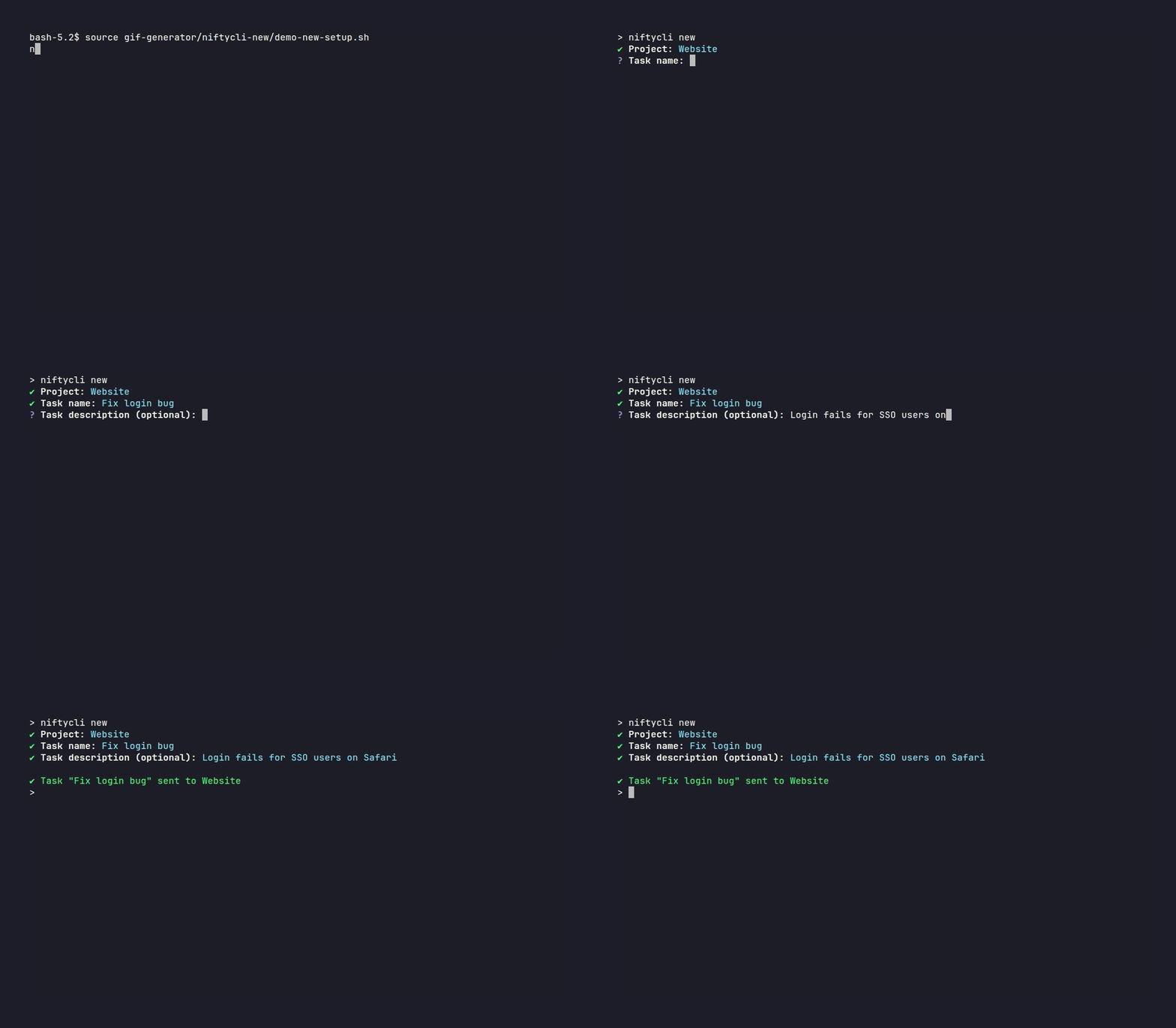
Once you're set up, creating a task is one command away:
Ready to try it yourself? Continue to Email Setup to configure your SMTP account and first project.